
Manage dental practice management workload with MS Excel. Stop using MS Word.
Dental practice management involves taking care of many processes on a day to day basis both in the admin and clinical areas. There is so much to do, delegate, monitor, update, action as a dental practice manager, clinic coordinator, as well as a receptionist. Using the right tools to manage and process the vast number of constantly changing data points is critical. Many Dental Practice owners and Managers are ill equipped to use EXCEL so they revert to using WORD. But word is not the right tool. It would be like mowing the lawn with a pair of scissors. Reserve WORD for writing letters!
Excel allows for automation, make jobs faster, more manageable, reduces chaos and stress, communication is better, and errors are minimised. Learning how to use EXCEL is a prerequisite for all owners and managers.
The challenges faced by practice managers and receptions as expressed by them:
- There is so much to do – I get overwhelmed. Feel like I am not doing a good job.
- I am having to multitask and manage many jobs and it is hard to keep track
- I have to attend to patient phone calls, walk-ins, address Dentist requests, pass on messages, order stock, attend to emails, patient complaints, put lab bills together – I need a better way to manage work. It’s too much
- I don’t seem to have enough time in the day to complete all my jobs. I am not doing a good job
- I loose track of my jobs as there are so many. Staff think I am disorganised
- There are sticky notes everywhere. I wish I had better control of my workload
- I have lost control of equipment maintenance or when handpieces were last serviced
- I have no easy way to monitor how much overtime was clocked up on a daily basis
- We keep running low on stock – wish we had a better process
- It’s hard to know if action has been taken on a issue that was discussed at the meeting
- Staff onboarding and training is so adhoc – wish we could have a more streamlined process
Why use EXCEL and not WORD
Majority of dental practices continue to use Microsoft WORD in managing common practice operations such as stock management, rosters, contact list, lab bills, task lists, job sheets, training programmes and many more common dental business operational activities. WORD is not the right tool for managing these operational activities.
Word is a word processing application and should be limited to writing documents like letters or essays where text formatting is essential.
Excel, on the other hand, is a spreadsheet application where you input data in rows and columns which then allow you to sort, filter, and calculate how the information is related to each other. EXCEL allows you to Automate and get the job done much quicker and easier with less errors. One can create pivot tables, set rules, query the data, use graphs to visually see what the data is saying. This is not just for analysing and managing practice KPIs but for many other routine and repetitive tasks such as when:
- Typing in rows and columns with numbers – especially dollar signs, decimals, dates, days – Drag and allow excel to do it for you automatically
- Using tabs to make columns
- If you have any calculations at all
- If you have rows of text with repeating words
What this online course will cover:
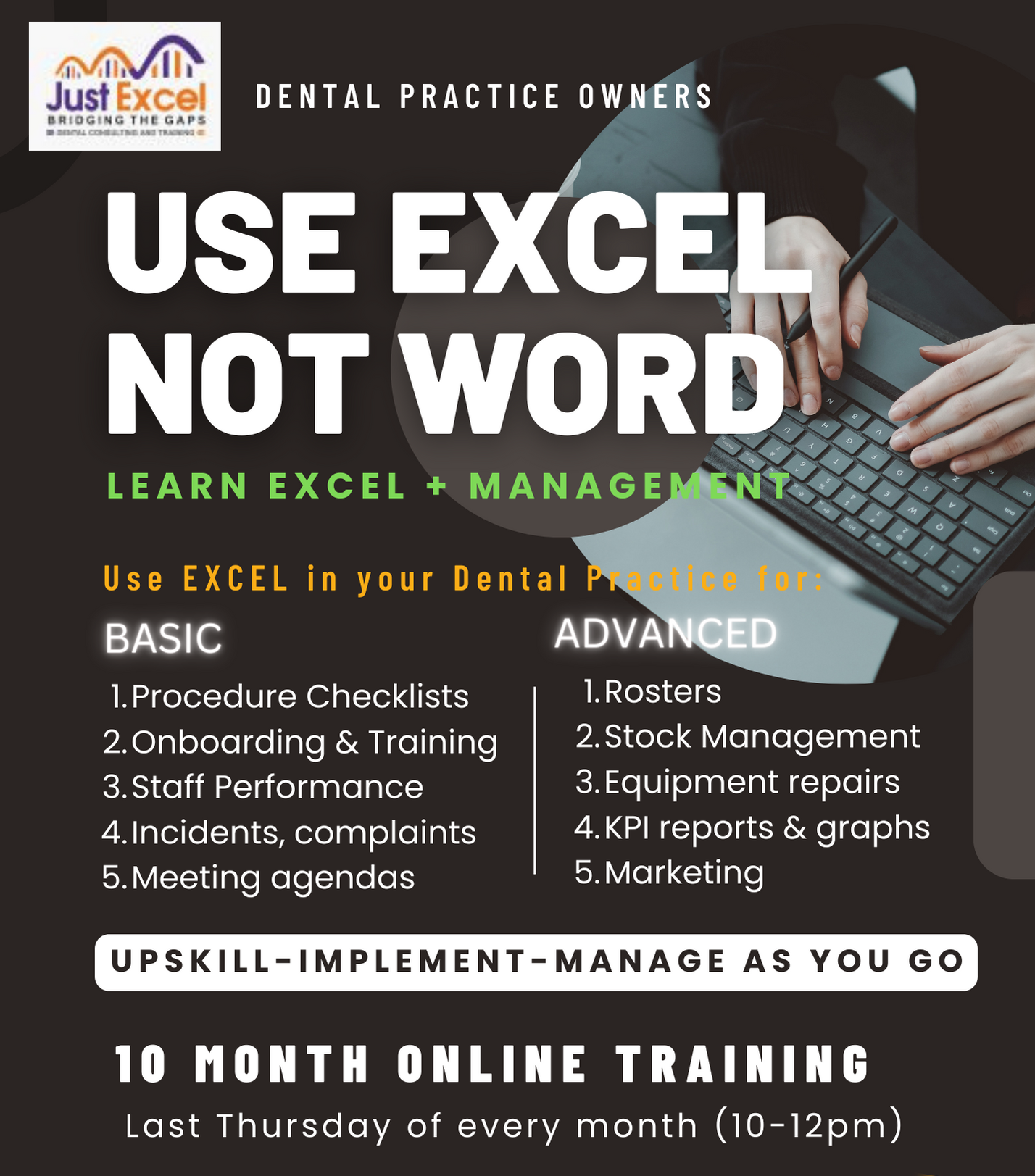
This is a very unique course in dental practice management delivered online over 10 months with 1 lesson covered/month. This course will empower you with the skills needed to efficiently manage the vast amount of information and data in a dental practice quickly and easily with EXCEL. It will show you how to set up spread sheets correctly, how to filter, how to set up common formulas to compute numeric data quickly.
The beauty of this course is that whilst, you learn to use EXCEL, you will also gain deep insight into 10 specific dental practice management topics. This course is value packed and will allow you to implement changes as you go along over a 10 month period. Not to be missed. JUST EXCEL.
This course will also demonstrate how to use shared Google sheets between Teams.
- Live online via ZOOM (min 3 candidates required)
- Alternatively – recorded online sessions – at your own pace
- 1 lesson/month done on the last Thursday of every month
- Each lesson lasts for 1-2 hours
- Total of 10-12 hours training conducted over a 10 month period
- Time in between to take each EXCEL sheet to the next level to suit your practice needs and understand 10 areas of practice management
- You have access to my help during the 10 month period
- You will also have access to my Private Facebook Group set up for EXCEL users in Dental practice
Course Features
- Lectures 0
- Quizzes 0
- Duration Lifetime access
- Skill level All levels
- Language English
- Students 67
- Assessments Self